PostgreSQL Audit Log
Implementing robust audit logging for PostgreSQL has become essential for modern enterprises. According to IBM's 2024 Data Breach Report, organizations with comprehensive audit log systems using AI and automation save an average of $2.2 million in breach costs, while internal detection shortens breach lifecycles by 61 days compared to external disclosure. With data breach costs averaging $4.88 million in 2024, PostgreSQL audit logging is critical for security and compliance.
PostgreSQL, one of the world's most advanced open-source relational database systems, offers native auditing capabilities, but organizations in regulated industries often require advanced solutions to satisfy compliance requirements and protect sensitive data effectively. This guide explores PostgreSQL's native audit features and demonstrates how DataSunrise enhances security monitoring and compliance.
Native PostgreSQL Audit Log Capabilities
PostgreSQL includes built-in features for monitoring database activities through configurable logging mechanisms and access controls.
1. PostgreSQL Logging Configuration
Configure PostgreSQL's logging system through the postgresql.conf file:
# Enable audit logging
log_destination = 'csvlog'
logging_collector = on
log_connections = on
log_disconnections = on
log_statement = 'all'
log_line_prefix = '%t [%p]: user=%u,db=%d,client=%h '
2. Testing with Sample Operations
Execute sample operations to verify audit configuration:
-- Create test table
CREATE TABLE audit_test (
    id SERIAL PRIMARY KEY,
    name VARCHAR(100),
    salary DECIMAL(10,2)
);

-- Insert and query data
INSERT INTO audit_test (name, salary) VALUES ('John Smith', 75000.00);
SELECT * FROM audit_test WHERE salary > 70000;
UPDATE audit_test SET salary = 78000.00 WHERE name = 'John Smith';
DELETE FROM audit_test WHERE id = 1;
3. Reviewing PostgreSQL Audit Logs
Review logs using command-line tools:
# View recent entries
tail -f /var/lib/postgresql/data/log/postgresql-*.log

# Search for specific operations
grep "INSERT\|UPDATE\|DELETE" /var/lib/postgresql/data/log/*.log
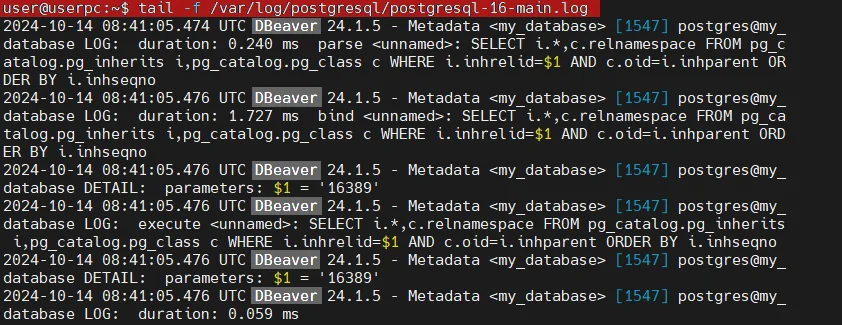
These logs capture user sessions, SQL executions, and database modifications for data security purposes.
Key Limitations of Native PostgreSQL Auditing
| Native Feature | Key Limitation | Business Impact |
|---|---|---|
| Log Files | Text-based format requiring manual parsing | Time-consuming analysis |
| Configuration | Requires extensive PostgreSQL expertise | Increased administrative overhead |
| Real-Time Alerting | No native notification mechanisms | Delayed incident response |
| Compliance Reporting | Manual report generation required | Significant audit preparation effort |
Enhanced PostgreSQL Audit Logging with DataSunrise
While PostgreSQL's native capabilities provide basic functionality, they have limitations for advanced security requirements. DataSunrise enhances PostgreSQL audit logging through continuous data protection and sophisticated automation features for comprehensive database security.
Implementing DataSunrise for PostgreSQL Audit Logging
DataSunrise's Database Security Suite provides comprehensive audit logging with automated compliance reporting through advanced monitoring and threat detection capabilities.
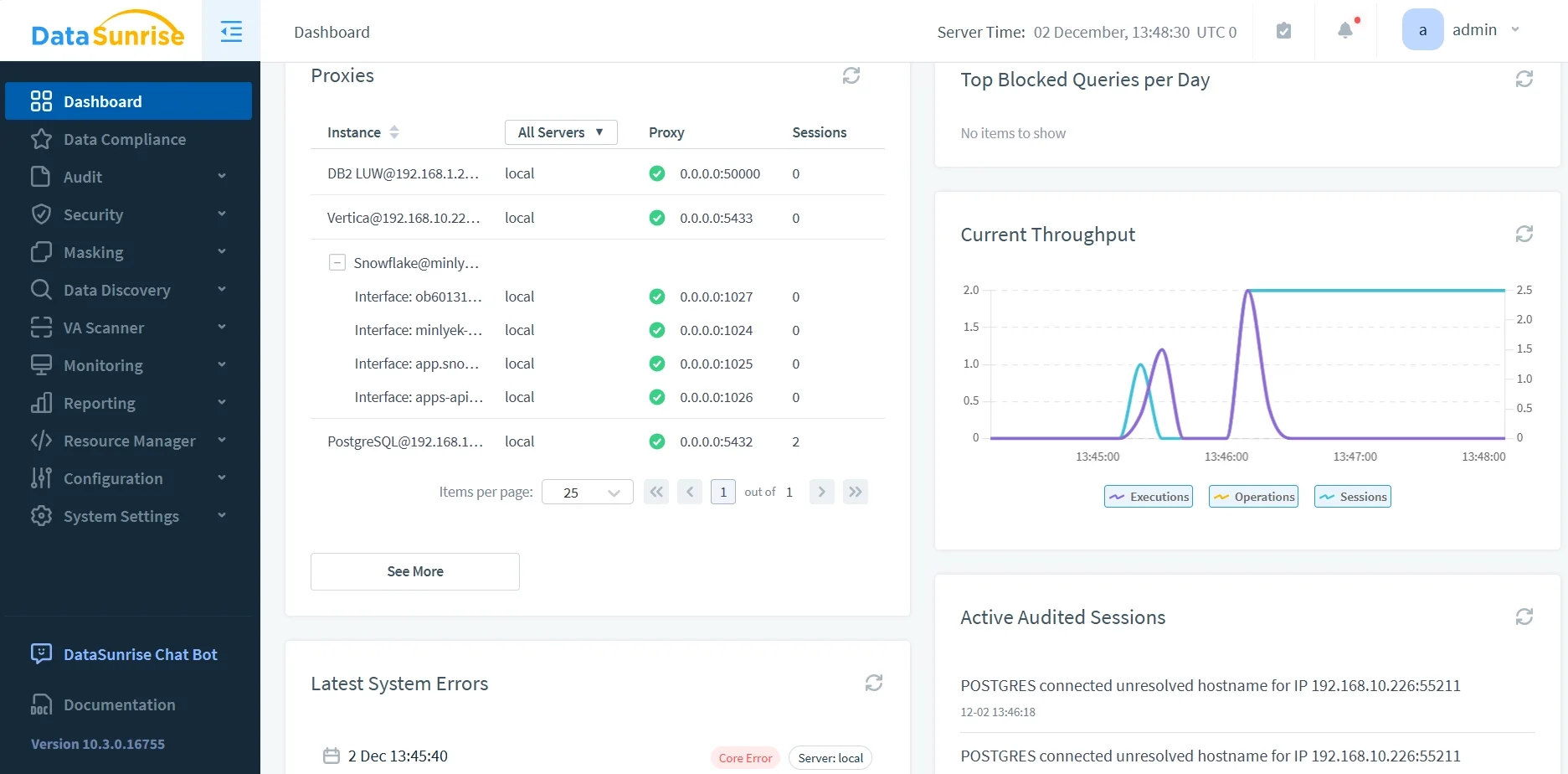
Step 1: Connect to PostgreSQL Database
Connect DataSunrise to your PostgreSQL instance through the intuitive web interface, supporting all PostgreSQL versions and configurations with flexible deployment modes.
Step 2: Create Comprehensive Audit Rules
Configure granular audit rules with table-specific monitoring, user-based policies, and query pattern analysis for enhanced data protection.
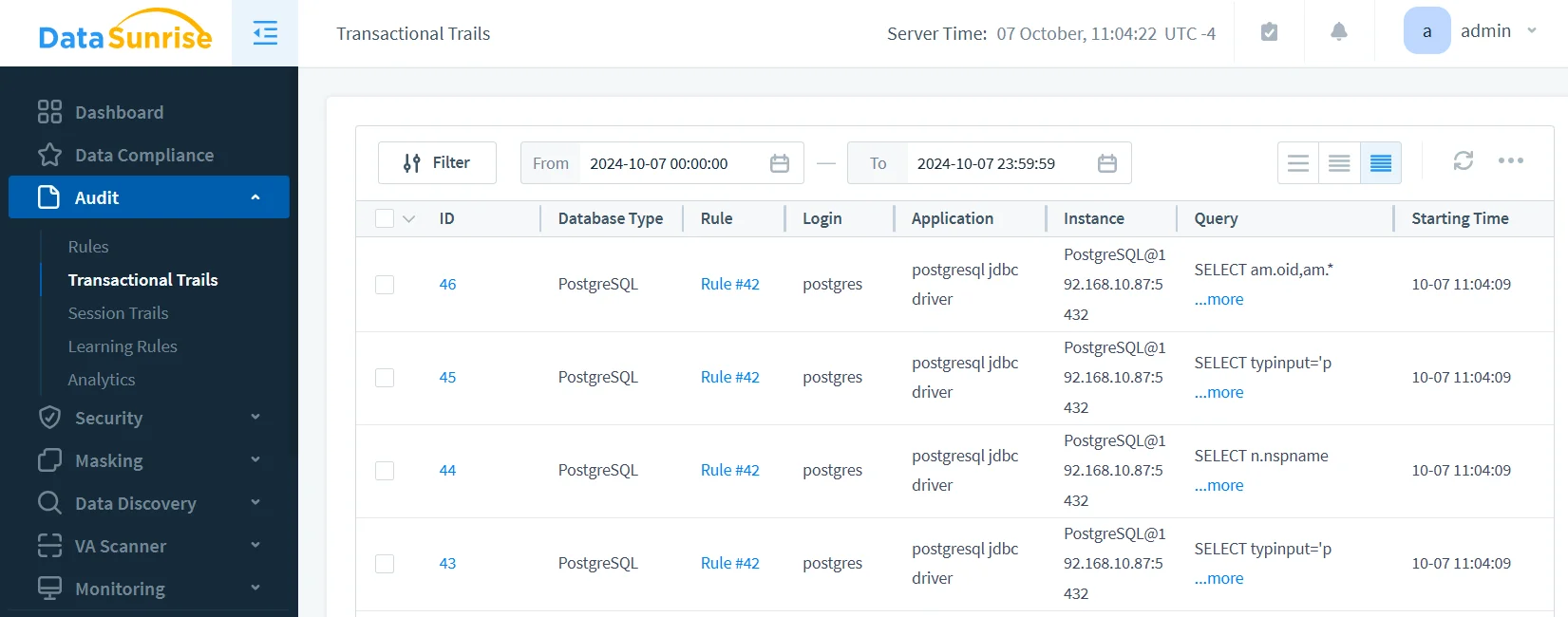
Step 3: Review Detailed Audit Trails
Access comprehensive audit trails through DataSunrise's unified dashboard with real-time monitoring and intelligent correlation.
Key Advantages of DataSunrise for PostgreSQL
DataSunrise offers significant advantages over PostgreSQL's native audit logging:
- Data Discovery: Automatically identify sensitive data according to GDPR, HIPAA, and PCI DSS frameworks
- Security Rules: Create sophisticated audit policies without specialized PostgreSQL expertise with protection against SQL injection
- Real-Time Notifications: Immediate alerts for suspicious activities through email, Slack, and Microsoft Teams
- User Behavior Analytics: Machine learning algorithms establish baselines and identify anomalies
- Compliance Manager: Pre-configured templates for regulatory compliance and data management
- Cross-Platform Integration: Unified monitoring across 40+ database platforms
Best Practices for PostgreSQL Audit Log Implementation
To maximize effectiveness of PostgreSQL audit logging:
1. Strategic Monitoring Approach
- Comprehensive Monitoring: Apply detailed auditing to tables with PII, PHI, and financial data
- Standard Auditing: Monitor operational data and business-critical information
- Selective Tracking: Use sampling for high-volume, low-risk operations
2. Performance Optimization
- Selective Statement Logging: Log only security-relevant operations
- Asynchronous Processing: Use log rotation to prevent disk space issues
- Resource Monitoring: Track performance impact and adjust configurations
3. Security and Access Controls
- File Permissions: Restrict log file access using appropriate permissions
- Log Integrity: Implement checksums to detect tampering and prevent data breaches
- Secure Storage: Store logs on separate or encrypted systems with proper role-based access controls
4. DataSunrise Implementation
- Intelligent Classification: Automated sensitive data discovery across all PostgreSQL schemas
- Dynamic Data Masking: Real-time data protection during audit processes
- Centralized Management: Unified audit policies across multiple platforms
Conclusion
PostgreSQL audit logging is essential for security, compliance, and operational excellence. While PostgreSQL offers native capabilities through configurable logging, organizations with complex requirements benefit from enhanced solutions like DataSunrise.
DataSunrise provides comprehensive security with automated compliance, advanced audit logging, and real-time monitoring. With flexible deployment options, DataSunrise transforms PostgreSQL audit logs into strategic security assets that ensure data compliance regulations adherence.
Protect Your Data with DataSunrise
Secure your data across every layer with DataSunrise. Detect threats in real time with Activity Monitoring, Data Masking, and Database Firewall. Enforce Data Compliance, discover sensitive data, and protect workloads across 50+ supported cloud, on-prem, and AI system data source integrations.
Start protecting your critical data today
Request a Demo Download Now