How to Audit ClickHouse
ClickHouse is engineered for extreme analytical performance, but its distributed execution model creates headaches when you need a coherent audit trail. Queries fan out across shards and replicas, merges happen asynchronously, mutations rewrite data in the background, and logs land in different system tables. For organizations operating under SOX, GDPR, HIPAA, PCI DSS, and similar frameworks, fragmented evidence is unacceptable—they need a chronological, immutable, and complete audit trail across the entire cluster.
The foundation of this relies on understanding what an audit trail actually represents. ClickHouse auditing builds on core principles of maintaining a verifiable audit trail, which you can explore in more more detail in the articles Audit Trails and Audit Logs. These concepts guide how administrators collect ClickHouse’s native telemetry and turn it into traceable forensic evidence. Additional foundational material lives inside Audit Rules, Audit Goals, and the Audit Guide.
While ClickHouse exposes powerful system logs, it does not natively consolidate them into a unified auditing layer. This guide explains how native auditing works and how platforms like DataSunrise provide centralized auditing, enriched activity history, dynamic policy enforcement, and compliance automation—capabilities aligned with Database Activity Monitoring, Data Activity History, and Database Activity History.
Importance of Audit
Auditing is not merely a compliance checkbox—it is the foundation of operational trust in a distributed analytics engine like ClickHouse. Without a reliable audit trail, organizations cannot prove who accessed sensitive data, when modifications occurred, or whether unauthorized actions were performed.
Strong audit design also reflects principles described in Security Guide, Data Security, and Role-Based Access Controls. Proper accountability is essential for compliance initiatives governed by GDPR Compliance, HIPAA Requirements, and SOX/PCI DSS frameworks.
Native ClickHouse Auditing Capabilities
Below are the core ClickHouse system logs that form the basis of any native auditing approach.
1. system.query_log — Completed Query Metadata
SELECT event_time, user, query, query_duration_ms
FROM system.query_log
ORDER BY event_time DESC
LIMIT 20;
Useful for Data Activity History and Report Generation.
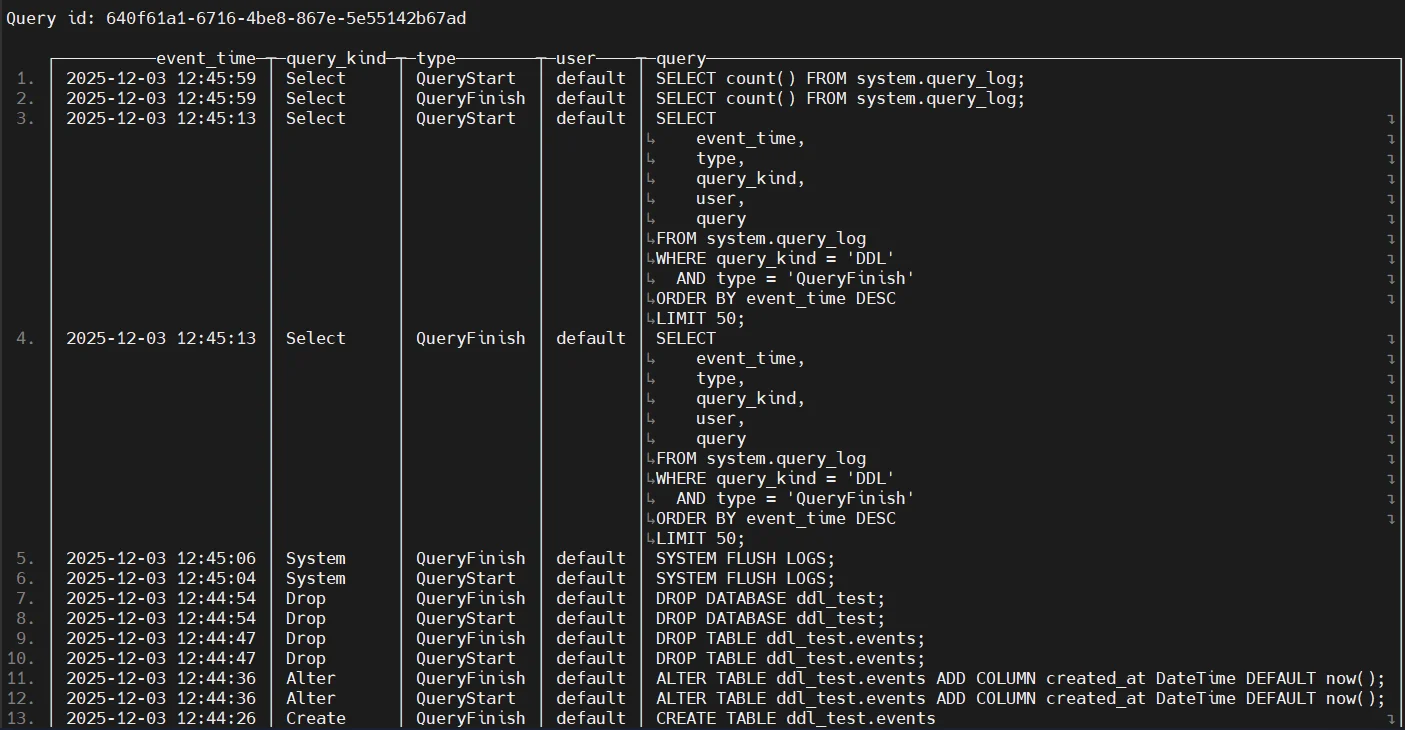
Additional Details
system.query_log is the single most important audit source because it captures the user’s intent. It shows exactly what SQL was executed, how long it ran, and what resources it consumed.
This allows auditors to:
- verify whether sensitive tables were accessed legitimately
- detect abnormal long-running analytical queries
- trace unauthorized schema changes
- understand workload patterns during incidents
In compliance scenarios, this log forms the core chronological record of user activity.
2. system.query_thread_log — Thread-Level Execution Details
SELECT event_time, thread_id, query, read_rows, read_bytes
FROM system.query_thread_log
ORDER BY event_time DESC
LIMIT 20;
Often used together with behavior-based analysis described in Behavior Analytics.
Additional Details
This table exposes internal execution details not visible in the main query log. It allows you to:
- analyze CPU-level execution flow
- detect suspicious parallelism patterns
- identify threads reading unusually large volumes of data
- attribute resource spikes to specific user actions
Because threats often manifest through abnormal resource usage rather than query text, query_thread_log is extremely valuable for advanced threat detection.
3. system.part_log — Part Lifecycle, Merges & Mutations
SELECT event_time, event_type, part_name, rows
FROM system.part_log
ORDER BY event_time DESC
LIMIT 20;
Critical for forensic analysis of mutations and merges aligned with Data-Inspired Security.
Additional Details
system.part_log captures physical data transformations, which is crucial because ClickHouse frequently rewrites data during merges and mutations.
This log helps answer:
- Was a mutation executed at the time of suspected tampering?
- Did a merge rewrite or delete data unexpectedly?
- Was a DROP PART operation triggered manually or automatically?
In investigations, this log is used to validate whether the stored data actually matches what audit records claim.
4. system.text_log — Authentication & Server-Level Events
SELECT event_time, message
FROM system.text_log
WHERE message ILIKE '%Authentication%'
ORDER BY event_time DESC;
Supports root-cause analysis related to security rules from Database Firewall and Security Rules.
Additional Details
system.text_log includes messages such as:
- failed authentication attempts
- incorrect passwords
- server warnings
- background task failures
- permission-denied errors
This makes it essential for:
- detecting brute-force attempts
- identifying misconfigured applications
- tracing failures in background data pipelines
- correlating suspicious access attempts with executed queries
It is often the first place auditors look when investigating unauthorized access.
5. system.query_views_log — Materialized View Triggers
SELECT event_time, view, query
FROM system.query_views_log
ORDER BY event_time DESC;
Useful for lineage workflows combined with Data Discovery.
Additional Details
Materialized views frequently automate sensitive ETL flows.
This log allows teams to:
- track when downstream data transformations occurred
- verify whether a view was triggered unexpectedly
- analyze whether sensitive data moved into analytics layers
- audit transformations that happen “behind the scenes”
For compliance teams, this is critical because materialized views can silently replicate PII/PHI, making oversight mandatory.
Extending ClickHouse Auditing with DataSunrise
DataSunrise transforms ClickHouse’s raw telemetry into a cohesive auditing, security, and compliance system—described throughout Data Audit, Learning Rules and Audit, and the Compliance Manager framework.
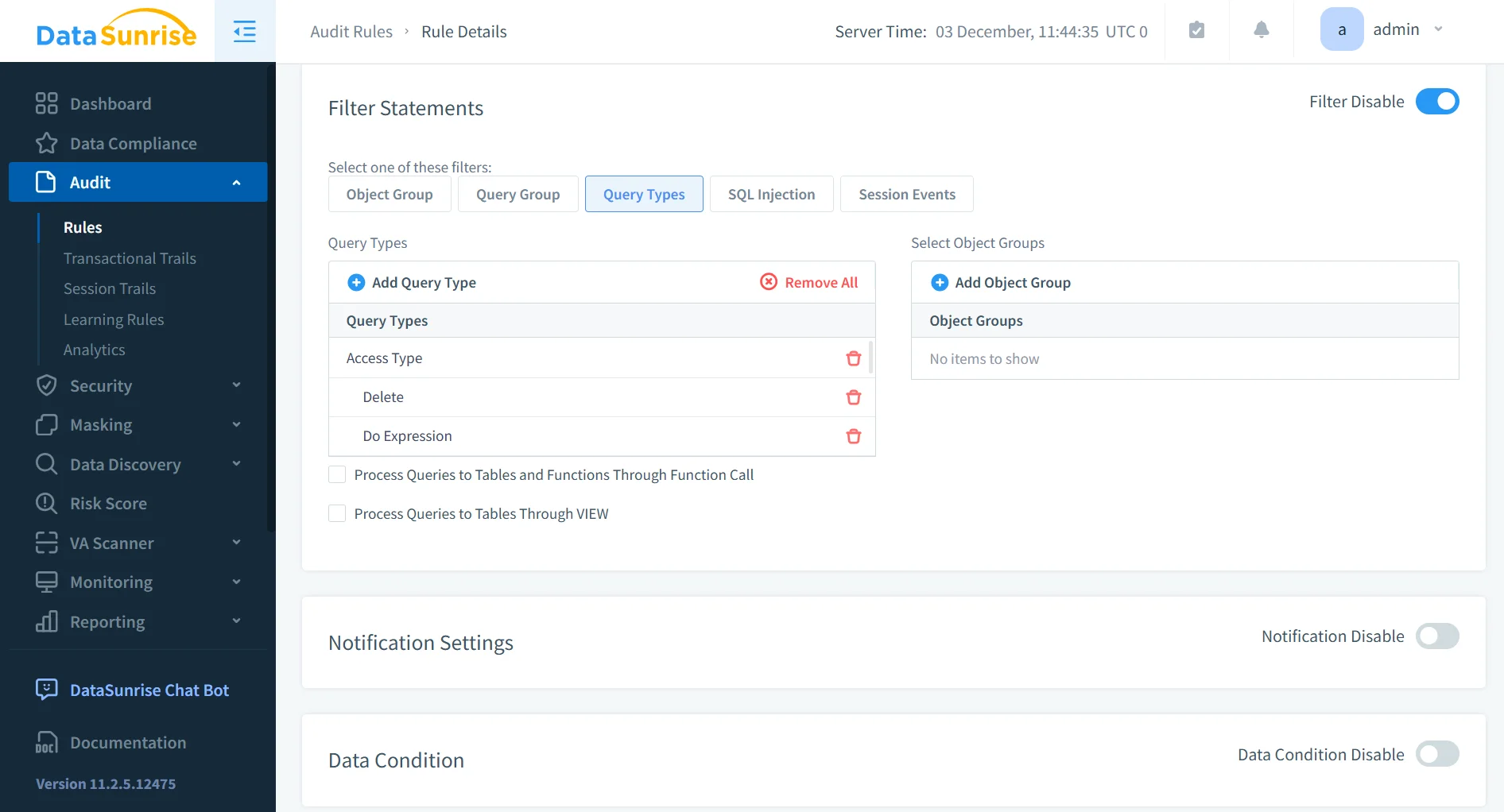
1. Centralized Audit Rule Management
DataSunrise enables precise targeting across:
- tables, schemas, and columns
- user roles and system accounts
- PII/PHI classifications linked to Personal Information
- DDL/DML separation
- regex-based or behavior-driven triggers
This system integrates with Security Policies and Access Controls to ensure consistent enforcement.
2. Unified Cluster-Wide Audit Trail
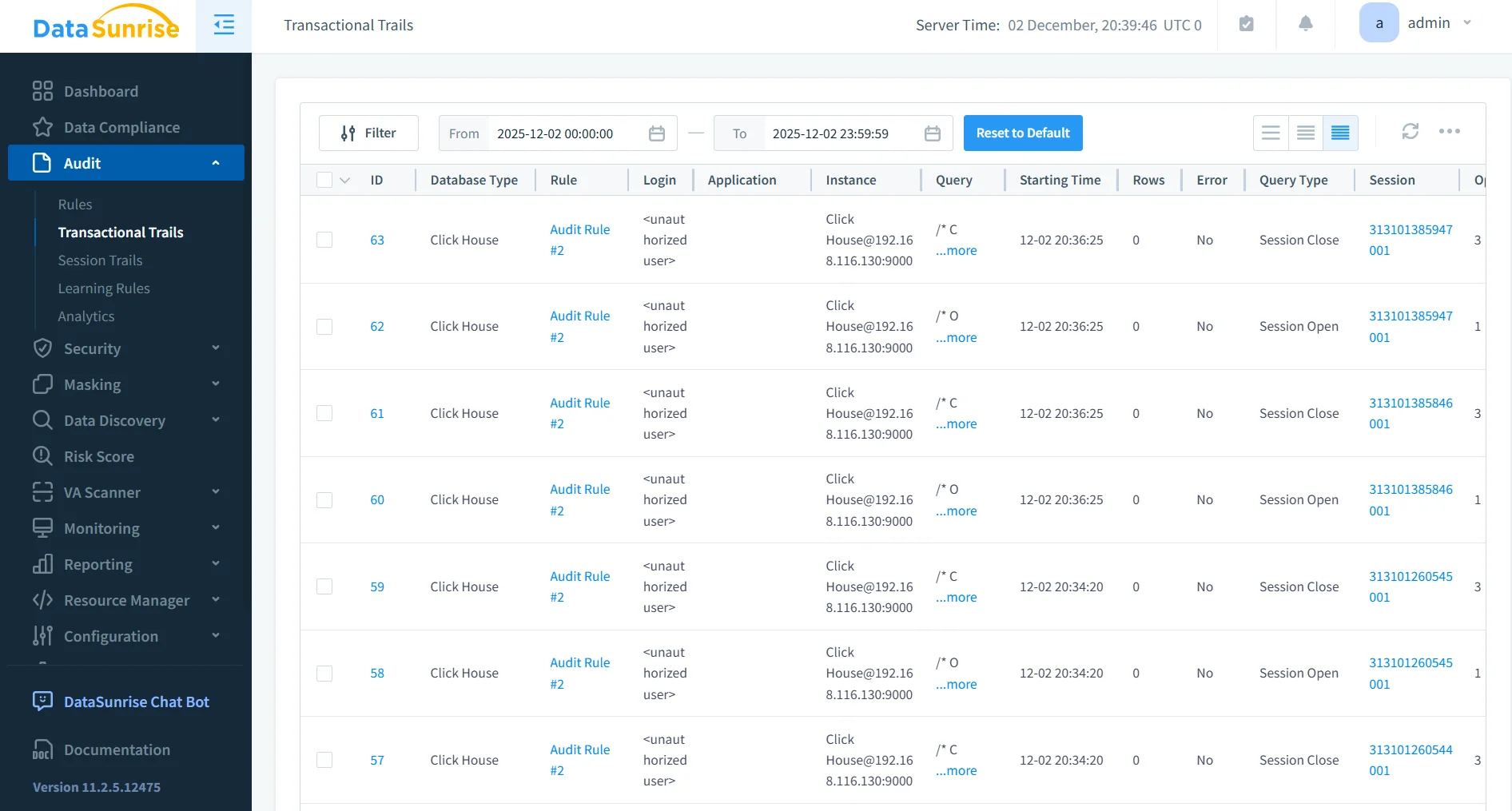
By consolidating all:
- queries
- privilege changes
- authentication events
- merges, mutations
- view-triggered processes
DataSunrise eliminates log fragmentation. This mirrors best practices outlined in:
It significantly improves forensic readiness and cluster-wide observability.
3. Enriched Sensitive Data Tracking
Through Dynamic Data Masking, Static Data Masking, and In-Place Masking, DataSunrise records:
- whether a user received masked or unmasked fields
- the sensitivity category of each accessed field
- exposure impact per session
This strengthens compliance alignment with PCI DSS and HIPAA Technical Safeguards.
4. Threat Detection and Behavior Analytics
DataSunrise extends auditing with:
- SQL injection detection as seen in SQL Injection Protection
- behavior anomaly detection from User Behavior Analysis
- privilege misuse detection
- correlated cross-database threat signals
This shifts ClickHouse from passive logging into active security enforcement consistent with Threat Detection.
5. Automated Compliance Reporting
Using Compliance Manager, reports are generated for GDPR, HIPAA, PCI DSS, and SOX. These packages include:
- complete access history
- data-exposure analysis
- security-rule enforcement summaries
- risk-weighted event scoring
This automation reflects broader compliance strategies defined in Data Compliance Regulations.
Business Impact
| Benefit | Description |
|---|---|
| Improved Cluster Visibility | DataSunrise unifies ClickHouse telemetry into a complete, cross-node audit trail. |
| Real-Time Security Enforcement | Threats are detected and mitigated before exposure occurs. |
| Reduced Engineering Overhead | Eliminates manual log parsing and correlation scripting. |
| Reliable, Immutable Audit Evidence | Builds audit-ready records accepted by auditors and compliance teams. |
These benefits align with operational safeguards described in Continuous Data Protection, Data Management, and Data Value.
Conclusion
ClickHouse’s native logs provide detailed telemetry but lack the correlation, structure, and compliance context necessary for enterprise-grade auditing. DataSunrise fills these gaps with centralized rule management, enriched audit evidence, real-time detection, masking enforcement, and regulatory reporting. With DataSunrise, organizations maintain high-performance analytics while ensuring complete, trustworthy, and regulation-aligned audit trails.
Protect Your Data with DataSunrise
Secure your data across every layer with DataSunrise. Detect threats in real time with Activity Monitoring, Data Masking, and Database Firewall. Enforce Data Compliance, discover sensitive data, and protect workloads across 50+ supported cloud, on-prem, and AI system data source integrations.
Start protecting your critical data today
Request a Demo Download Now